
KDS vs. Printers: A Data-Backed Guide for NZ Restaurants
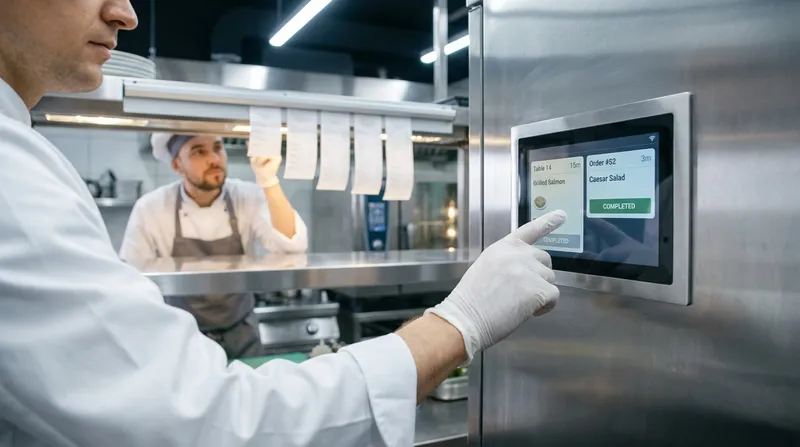
Introduction: The End of Kitchen Chaos?
It's the Saturday night rush. Dockets are piling up, a server is trying to decipher a colleague's handwriting, and the chef is calling for an order that went missing minutes ago. This scene is all too familiar for many New Zealand hospitality owners. For years, the humble printer has been the backbone of the kitchen, but is it still the right tool for the job?
The dilemma is clear: stick with a paper-based docket system or upgrade to a modern, digital Kitchen Display System (KDS). This isn't just about new technology; it's a strategic decision that impacts your efficiency, accuracy, and ultimately, your bottom line.
With the Restaurant Association of New Zealand reporting that sales for cafes and restaurants face immense pressure from rising costs, improving operational efficiency is no longer a luxury—it's essential for survival. This guide provides a data-backed comparison to help you understand the real return on investment (ROI) of a KDS for your NZ business.
The Hidden Costs of Your Restaurant Docket System
That seemingly cheap roll of docket paper comes with a surprisingly high price tag. While you might factor in the direct costs, the indirect expenses of a paper-based system are what truly eat into your profits.
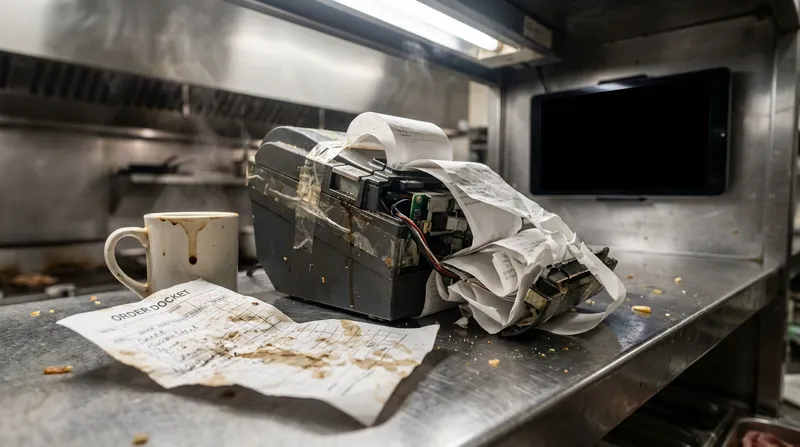
Let's break down the real costs:
Tangible Costs: A typical NZ cafe can spend $800-$1,200 annually on docket rolls, ink, and printer maintenance. A KDS eliminates this recurring operational expense entirely.
The Cost of Human Error: A misread ticket isn't just an inconvenience; it's a direct financial hit. Research highlighted by industry sources suggests that a single order mistake can cost a restaurant around $30 per incident in wasted food and labour. For a busy establishment, this quickly amounts to thousands in lost revenue.
Operational Inefficiency: Think of the time your front-of-house staff spend walking tickets to the kitchen or clarifying messy handwriting. This is time they could be spending with customers, upselling, or turning tables faster.
The Customer Experience Price Tag: Every wrong order chips away at customer trust. As research from Cornell University reported by Nation's Restaurant News shows, service failures lead to negative reviews and prevent customers from returning. In a competitive market, you can't afford to lose repeat business over preventable mistakes.
KDS vs. Kitchen Printers: A Head-to-Head Comparison
When you place a traditional printer next to a KDS, the differences become stark. It's not just paper versus screen; it's a static, one-way system versus a dynamic, intelligent one.
| Feature | Kitchen Printer | Kitchen Display System (KDS) |
|---|---|---|
| Speed | Manual. Relies on staff to physically deliver tickets. | Instant. Orders appear on screen the moment they are entered. |
| Accuracy | Prone to errors from illegible handwriting and lost tickets. | 100% legible. Displays orders, modifiers, and notes exactly as entered. |
| Cost | Low initial cost, but high recurring costs for paper and ink. | Higher initial cost, but near-zero recurring costs and long-term savings. |
| Durability | Paper is easily damaged by heat and spills. Printers can jam. | Built for harsh kitchen environments with durable, easy-to-clean screens. |
| Data | Provides zero data. You can't manage what you can't measure. | Tracks ticket times and item prep times to identify bottlenecks. |
| Communication | One-way. The kitchen can't easily communicate back to FOH. | Two-way. Chefs can "bump" completed orders, alerting servers automatically. |
💡 Real-World Impact: A Wellington cafe reduced order errors from 8 per day to less than 1 after switching to a KDS, saving an estimated $7,300 annually in wasted food and remakes alone.
The Data-Backed ROI: How a KDS Pays for Itself
Switching to a KDS is an investment, and you need to know it will pay off. For New Zealand businesses facing tight margins—with official data from Figure.NZ showing the median gross profit for a small cafe is just 61-63%—every percentage point of efficiency counts.
Here's a concrete example of the return:
- Drastically Reduced Error Costs: By eliminating just two order errors per day (at $30/incident), you save $21,900 per year.
- Elimination of Consumable Costs: Add another $800+ per year saved by not buying paper rolls and ink.
- Increased Revenue Through Speed: Faster ticket times mean faster table turnover. Serving just one extra table per night can add thousands to your annual revenue. This efficiency is crucial, with educational resources from the Auguste Escoffier School of Culinary Arts noting that automation saves significant time on ordering.
The Bottom Line: For a typical small business, a KDS investment can pay for itself in under 4 months through error reduction and cost savings alone.
KDS Use Cases in NZ: More Than Just Restaurants
A common misconception is that a KDS is only for large, full-service restaurants. This versatile technology can be adapted for various businesses across New Zealand.
The Busy Cafe Ordering System
For a bustling Wellington cafe, a KDS is a game-changer. It can instantly route drink orders to the barista's screen and food orders to the kitchen's screen. This parallel workflow eliminates bottlenecks and ensures complex coffee orders are displayed clearly, dramatically reducing mistakes and wait times.
The Efficient Food Truck POS
Imagine a food truck at a windy waterfront market. Paper dockets are a liability—easily lost or damaged. A KDS on a durable tablet is the perfect solution. It's compact, resilient, and ensures every order is tracked from entry to completion.
Applying KDS Principles to Service Businesses
The core principle of a KDS—clear, organised task management—can be applied to service businesses too. A beauty salon could use a screen to manage client flow, assigning clients to specific rooms or therapists as they check in. This improves scheduling, tracks service durations, and reduces client wait times.
Choosing the Best KDS for Your Small Business in NZ
When you're ready to make the switch, it's crucial to choose a system that fits your business. As research from Cornell University's SC Johnson College of Business points out, operators believe embracing technology is vital for future success. Here's what to look for:
- Seamless POS Integration: Your KDS must communicate flawlessly with your Point of Sale system for instant, accurate order transmission.
- All-in-One Platform: Choose a KDS that's part of a complete POS platform. Managing loyalty, online ordering, and bookings in one system prevents data silos and reduces costs.
- Intelligent Routing: The ability to send specific items to different stations (e.g., drinks to the bar, entrees to the kitchen) is critical for efficiency.
- Actionable Analytics: A great KDS doesn't just display orders; it collects data on ticket and prep times to help you identify and fix bottlenecks.
- Durable Hardware: Ensure the screen is heat-resistant, water-resistant, and easy to clean.
Conclusion: Your Paperless, Profitable Kitchen Awaits
The choice between a kitchen printer and a KDS is more than just paper versus digital. It's a choice between an outdated workflow and a strategic tool for growth. A KDS is an investment in accuracy, efficiency, and data-driven decision-making.
In New Zealand's competitive hospitality landscape, this technology provides a clear edge by reducing costs, increasing throughput, and improving the customer experience. With affordable plans and hardware packages available, the investment pays for itself within months.
Ready to see how a digital kitchen can transform your operations? Explore how the Lazygrid KDS, part of our all-in-one POS, is designed for NZ businesses just like yours.
Frequently Asked Questions
How much does a KDS system cost in NZ?
The cost typically involves a one-time hardware purchase (like an iPad or commercial screen) and a recurring monthly software subscription, often bundled into your POS plan. It's crucial to weigh this against the ongoing costs of a printer system ($800+ annually), which a KDS eliminates.
Is a KDS suitable for a very small cafe or food truck?
Absolutely. A KDS is highly scalable. For a compact operation, a single iPad running KDS software is enough to eliminate paper, reduce costly errors, and dramatically speed up service during busy rushes.
What happens to my orders if the internet goes down?
This is an important concern. Modern POS systems like Lazygrid feature a robust offline mode. If your internet connection fails, the system continues to operate on your local network. Your POS can still take orders and send them to your KDS without interruption, ensuring service never stops.
How difficult is it to train kitchen staff to use a KDS?
KDS interfaces are designed to be extremely intuitive. With features like large fonts, colour-coding for order age, and simple tap-to-complete actions, training is very quick. Most teams find it far less stressful than managing a cluttered rail of paper tickets.
Does the KDS have to be from the same company as my POS system?
For best results, it is highly recommended. Using a fully integrated KDS from your POS provider ensures seamless, real-time communication between your front-of-house and kitchen. This guarantees accurate data for analytics, eliminates compatibility headaches, and gives you a single point of contact for support.